Furniture Visualizer: A Guide to Confident Shopping


You're standing in your living room with a tape measure in one hand and three fabric swatches in the other. The sofa you love online looks perfect, until you start wondering if it will crowd the walkway, fight with your floor tone, or feel too casual beside the solid wood pieces you already own. That hesitation is normal, especially when you're shopping for furniture you expect to live with for years.
A furniture visualizer helps close that gap between “I think this could work” and “I know this belongs here.” For homeowners in Ann Arbor and across Southeast Michigan, that matters most when the purchase isn't disposable. It matters when you're choosing a made-to-order dining set, an ergonomic recliner in the right size, or an Amish hand-crafted bedroom piece with the weight and presence of real wood.
At a long-standing local store, good design advice has never been about pushing a quick decision. Since 1957, the better approach has been to help people see clearly before they commit. That's why visualizers are useful. Not because they're flashy, but because they support careful choices, better fit, and more confidence in a long-term investment.
Table of Contents
- End Furniture Guesswork with a Visualizer
- Understanding Different Types of Furniture Visualizers
- Visualizing Bespoke and Made-to-Order Furniture
- Preparing Your Space for Accurate Visualization
- From Showroom Idea to In-Home Reality
- Your Next Steps Toward a Perfectly Furnished Home
End Furniture Guesswork with a Visualizer
The biggest reason people hesitate on furniture isn't style. It's uncertainty. You can like the shape of a sofa and still worry that the arm height is wrong for your room, or that a dining table finish will look redder at home than it did under showroom lighting.
That's where a furniture visualizer earns its place. It gives you a working preview. You can look at scale, shape, finish, and placement before a piece arrives. For anyone furnishing a forever home, that step matters more than a quick first impression.

A recent study found that in-store shoppers who used 3D visualization tools were 67% more likely to make high-ticket purchases over $2,500 (3D Cloud Furniture Shopping Trends Study). That doesn't mean technology talks people into spending more. It means people feel more comfortable making a significant purchase when they can better visualize size, color, and fit.
Practical rule: A visualizer won't choose for you. It will help you eliminate the options that only look good in isolation.
That's useful across categories, from living room seating to bedroom storage to home office desks and even outdoor spaces. If you're comparing upholstery, you can preview whether a warm neutral fabric calms the room or disappears into it. If you're considering leather, you can get closer to understanding how that rich, buttery look might sit beside existing wood tones.
For shoppers who want to test placement at home, one option is Tyner Furniture's View In Your Room tool. It's the kind of feature that turns abstract dimensions into something you can react to more naturally.
If you're curious how this same approach supports other furniture categories, BEDHEAD offers a useful look at how retailers boost mattress sales with 3D. The takeaway is simple. Visualization is practical when comfort, proportion, and confidence all matter.
Understanding Different Types of Furniture Visualizers
Not every furniture visualizer does the same job. Some let you rotate a chair on a screen. Others place a sofa into your actual room through your phone. Some are better for comparing finishes, while others are better for judging whether a piece blocks a window or crowds a traffic path.
That's why it helps to separate the tools into clear categories before you use them.
What each tool actually does
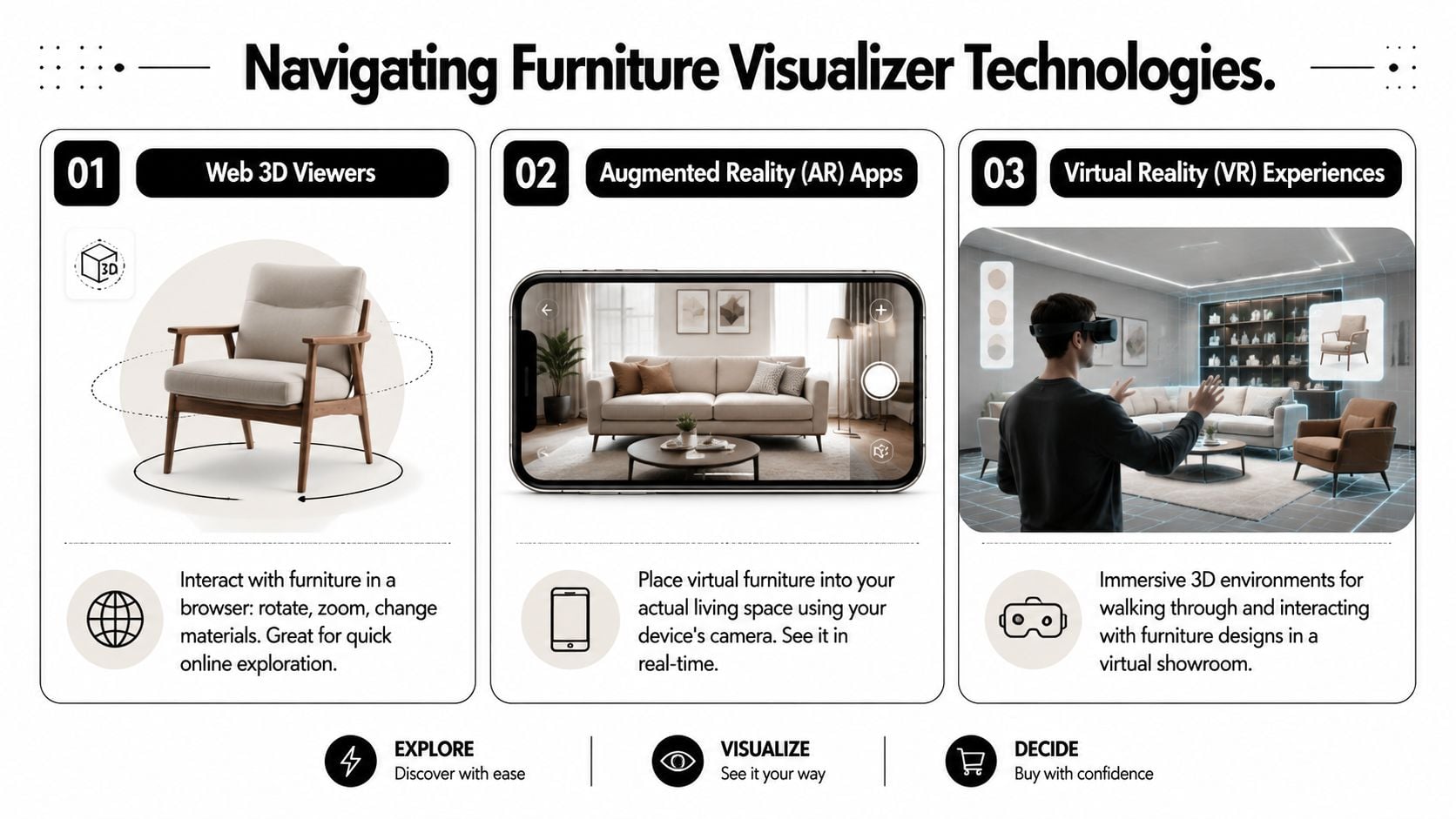
Web 3D viewers live in your browser. You open a product page, rotate the furniture, zoom in, and often switch between materials or finishes. This is a strong starting point when you want to inspect details such as the profile of a sofa arm, the angle of a recliner base, or the way a finish changes the mood of a dining table.
Augmented reality apps use your phone or tablet camera to place a digital version of the furniture into your room. They're most helpful for checking footprint and visual weight. If you're trying to see whether a recliner feels balanced near a bookcase or whether a cocktail table leaves enough breathing room, AR is often the easiest tool to understand.
Virtual reality experiences are more immersive. They're less common for everyday shoppers, but they can be useful in showroom settings or design presentations where you want to feel surrounded by a whole room concept rather than inspect a single item.
An industry survey found that 91% of furniture leaders see 3D visualization as critical or a high priority for reducing returns, because customers get a more accurate representation before they buy (Cylindo furniture industry survey). That lines up with what many shoppers already feel. Seeing more clearly usually leads to fewer expensive surprises.
Choosing the right tool
| Tool Type | How It Works | Best For | Tyner Example |
|---|---|---|---|
| Web 3D Viewer | Rotates and zooms a product in a browser | Comparing shapes, finishes, and visible details | Reviewing upholstery options on a sofa or recliner |
| Augmented Reality | Places a digital piece into your real room through a camera | Checking scale, placement, and walkway clearance | Testing whether a recliner or accent chair fits a reading corner |
| Virtual Reality | Creates a fully immersive digital room experience | Exploring full-room layouts and concept presentations | Visualizing a coordinated room before placing a custom order |
People often confuse AR and room planning. AR answers, “How does this piece look here?” A planner answers, “How do all these pieces work together?”
A good visualizer narrows decisions in stages. First shape. Then size. Then finish. Then placement.
If you want a broader look at how visual presentation tools compare, including staging-style applications, AgentPulse has a helpful roundup of AgentPulse's virtual staging app recommendations. For product photos, finish comparisons, and smarter online evaluation, this guide on using online furniture photos to make smarter buying decisions also complements what a visualizer can and can't show.
Visualizing Bespoke and Made-to-Order Furniture
A furniture visualizer becomes even more valuable when the piece isn't a standard item pulled from a warehouse shelf. Custom dining, bespoke upholstery, and ergonomic seating ask more of the shopper because more decisions are involved. You're not just choosing a product. You're choosing a version of a product.
That's where many general tools fall short.
Why custom furniture needs better visualization
A 2025 report noted that 68% of users abandon visualization apps because they lack custom sizing options (custom sizing gap in visualization apps). That makes sense. If the tool only shows a standard version, it doesn't solve the actual question for someone ordering heirloom-quality furniture.
Consider a solid wood dining table. The width may work, but the base shape, edge detail, stain, and chair style all affect how the room feels. A mass-market visualizer may show “a table.” It often won't help you compare the exact combination you're considering.
The same goes for comfort-focused seating. With ergonomic recliners, size matters in a very literal way. A chair can look right in a photo and still feel off if the scale doesn't suit your body or if the silhouette is too heavy for the room.
Where specialized tools help
Customization ceases to be a simple addition and becomes the entire purpose.
For Canadel dining, a specialized visual approach helps you sort through combinations of leg styles, table edges, finishes, and distress levels without relying on imagination alone. You can move from “I like that collection” to “I like this exact build.”
For Stressless seating, visualization works best when it supports ergonomic fit, not just color choice. A recliner in Small, Medium, or Large can change both the comfort experience and the visual balance of a room. The right preview helps you avoid choosing only with your eye and forgetting how the chair needs to support your body every day.
Then there's hand-crafted Amish furniture. This category often carries the greatest emotional weight because it's bought with longevity in mind. The visible grain, the depth of stain, the honest heft of solid cherry, oak, or maple all deserve a slower decision process. A visualizer can help you test finish direction and scale, while real design guidance helps you judge what the screen can't fully capture.
If you're exploring this kind of order, the process becomes much easier when the options are organized clearly. A helpful place to start is custom furniture made simple, especially if you want to understand how bespoke choices are translated into an actual order.
Preparing Your Space for Accurate Visualization
A furniture visualizer is only as reliable as the information you give it. If the room dimensions are loose guesses, the result will be a polished guess too. That's why the prep work matters so much, especially for made-to-order furniture where changes after production can be difficult.
The good news is that the prep isn't complicated. It just needs to be deliberate.
Measure the room before you open the app
Start with the room itself, not the furniture.
Take note of:
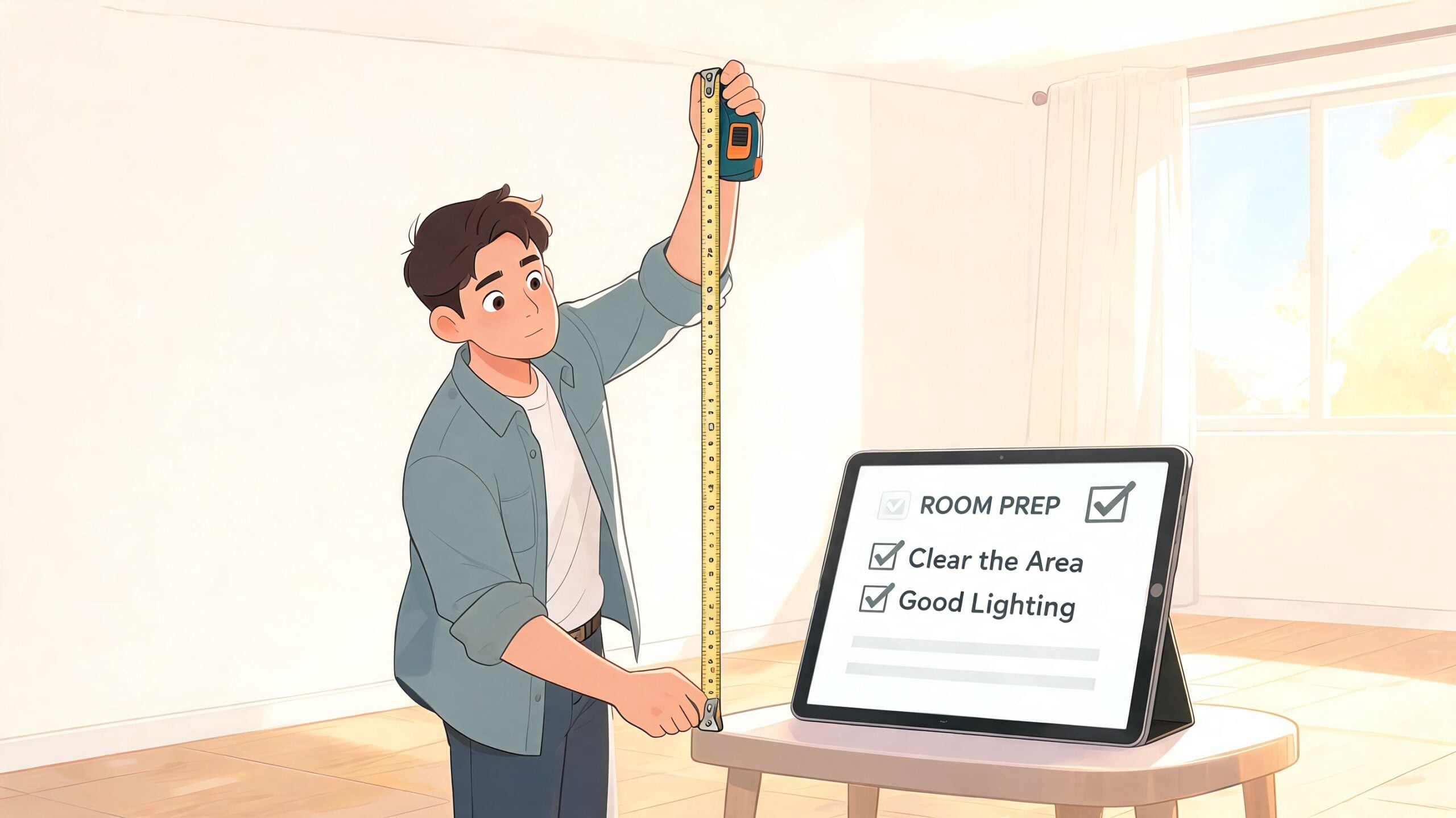
- Wall lengths: Measure every wall, even if the room looks rectangular at first glance.
- Window and door placement: Record where they begin and end, including trim that affects clearance.
- Traffic paths: Mark the routes people use every day. A piece can technically fit and still make the room feel awkward.
- Fixed obstacles: Floor vents, radiators, fireplaces, and low windows all affect placement.
If you're ordering a dining set, measure from the walls and also from any nearby buffet, island, or doorway. If you're placing a recliner, remember that the resting footprint and the usable comfort zone aren't always the same thing.
A quick refresher on measuring helps many people avoid the most common mistakes. This guide on how to measure furniture is a practical companion before you start using a visualizer.
Account for light and real-life use
Screens flatten things. A medium brown finish may look cooler on one phone and warmer on another. A pale fabric can appear airy in bright daylight and dull in a room with shaded windows.
Before you trust the visual, pause and ask:
- What time of day does this room get its best light?
- Will this piece sit near warm wood, painted trim, brick, or metal accents?
- How will you use the room on a normal day, not just when it's tidy?
Rooms don't fail because the furniture is ugly. They fail because scale, circulation, and daily habits weren't considered early enough.
This matters throughout the home. A home office chair may need visual softness if the room already has a large desk and bookcases. A bedroom dresser might need more depth in finish if the flooring is pale and the walls are cool.
Trusted local expert pro-tip
Design professionals note that digital tools can struggle with scale and perspective, which is why they recommend the cardboard cutout method as a physically accurate way to visualize a furniture footprint before buying (cardboard cutout method for furniture fit).
Trusted local expert pro-tip
Use painter's tape or cardboard to mark the exact footprint of the piece on your floor. Then walk around it. Pull out nearby dining chairs. Open doors. Sit where you normally sit. The screen may say it fits. Your body will tell you whether the room still works.
For a made-to-order Amish table, this can save you from a walkway that feels pinched. For a sectional, it can reveal whether the chaise blocks the natural path to a window. For a recliner, it helps you judge not just where it sits, but how it lives in the room.
From Showroom Idea to In-Home Reality
The best furniture decisions usually combine three things. You see the piece in person, you visualize it in your home, and then you document the order carefully.
A dining room decision
A family from the Ann Arbor area comes into the South State St. showroom looking for a dining table that will last. They're drawn to an Amish hand-crafted piece because the difference is obvious the moment they touch it. The table has the dense, steady feel of solid wood. The joinery looks intentional. Nothing about it feels temporary.
Their concern isn't quality. It's size.
They like one dimension on the floor, but they're worried it may tighten the path between the dining area and the kitchen once it's at home. A visualizer helps them compare proportions in their room, and the floor outline check at home confirms how the table will sit with chairs pulled back. What changed their decision wasn't persuasion. It was clarity.
A home office comfort check
Another shopper is furnishing a home office that needs to work hard without looking clinical. They want an ergonomic recliner for reading, recovery, and occasional laptop use, but they also care about how the chair relates to their desk, rug, and bookcase.
The digital preview helps them narrow leather color and chair scale. A darker leather gives the room enough visual grounding. A different size keeps the seating from feeling oversized in the corner. From there, the order has to become precise.
For any custom furniture order, industry standards require a detailed specification sheet listing every variant, from fabric and finish to leg style, as a separate line item, because that document is what ensures the piece is manufactured as intended (guide to specifying furniture for interior designers). In plain terms, the visualizer helps you choose. The specification sheet makes sure the factory builds exactly what you chose.
That's especially important for made-to-order upholstery, Canadel dining, and sizing-sensitive ergonomic seating. If a finish changes, it needs to be recorded. If a base style changes, it needs to be recorded. If the leather grade or wood species changes, it needs to be recorded separately and clearly.
Your Next Steps Toward a Perfectly Furnished Home
A furniture visualizer is most useful when you treat it as one tool in a larger decision process. It helps you preview fit, finish, and placement. It doesn't replace touch, comfort, or experienced guidance. For long-term pieces, you want both the digital preview and the physical check.
That matters most when you're shopping for furniture with staying power. A made-to-order dining set, an ergonomic recliner, or a hand-crafted solid wood bedroom piece should feel right in more than one sense. It should fit your room, your routine, and your idea of value over time. That's the difference between buying for this season and buying for the next many years.
A simple path forward
Try this order of operations:
- Browse thoughtfully: Start with dimensions, silhouettes, and finish families. Don't begin with color alone.
- Review the details: Use online Quick Specs so you can compare what's fixed and what can be customized.
- Test the room: Measure carefully, then use a furniture visualizer to check placement and proportion.
- Verify physically: Mark the footprint on the floor if the piece is large, custom, or hard to return.
- Do the sit test: Comfort can't be judged fully on a screen, especially with ergonomic seating and upholstered pieces.
For shoppers balancing quality with budget planning, this is also where practical support matters. If you're investing in heirloom, hand-crafted, or made-to-order furniture, tools like Special Financing and a Low Price Promise can make the timing easier without lowering the standard of what you bring home.
Since 1957, that steady, patient approach has helped Southeast Michigan households furnish more than just living rooms. It applies to bedrooms, dining spaces, home offices, entertainment areas, and outdoor spaces too. The goal isn't to rush the choice. It's to help you make one you'll still feel good about years from now.
A strong starting point is this guide on how to shop for furniture smartly, especially if you want to compare craftsmanship, comfort, and customization with a clearer eye.
If you'd like a second opinion before placing an order, visit Tyner Furniture in Ann Arbor for a sit test and an in-person look at finishes, fabrics, top-grain leathers, and Amish hand-crafted solid wood. If you're still in the research phase, browse the online Quick Specs for special orders and use the visual tools to narrow your choices with confidence.