Expert Guide: How To Improve Posture While Sitting

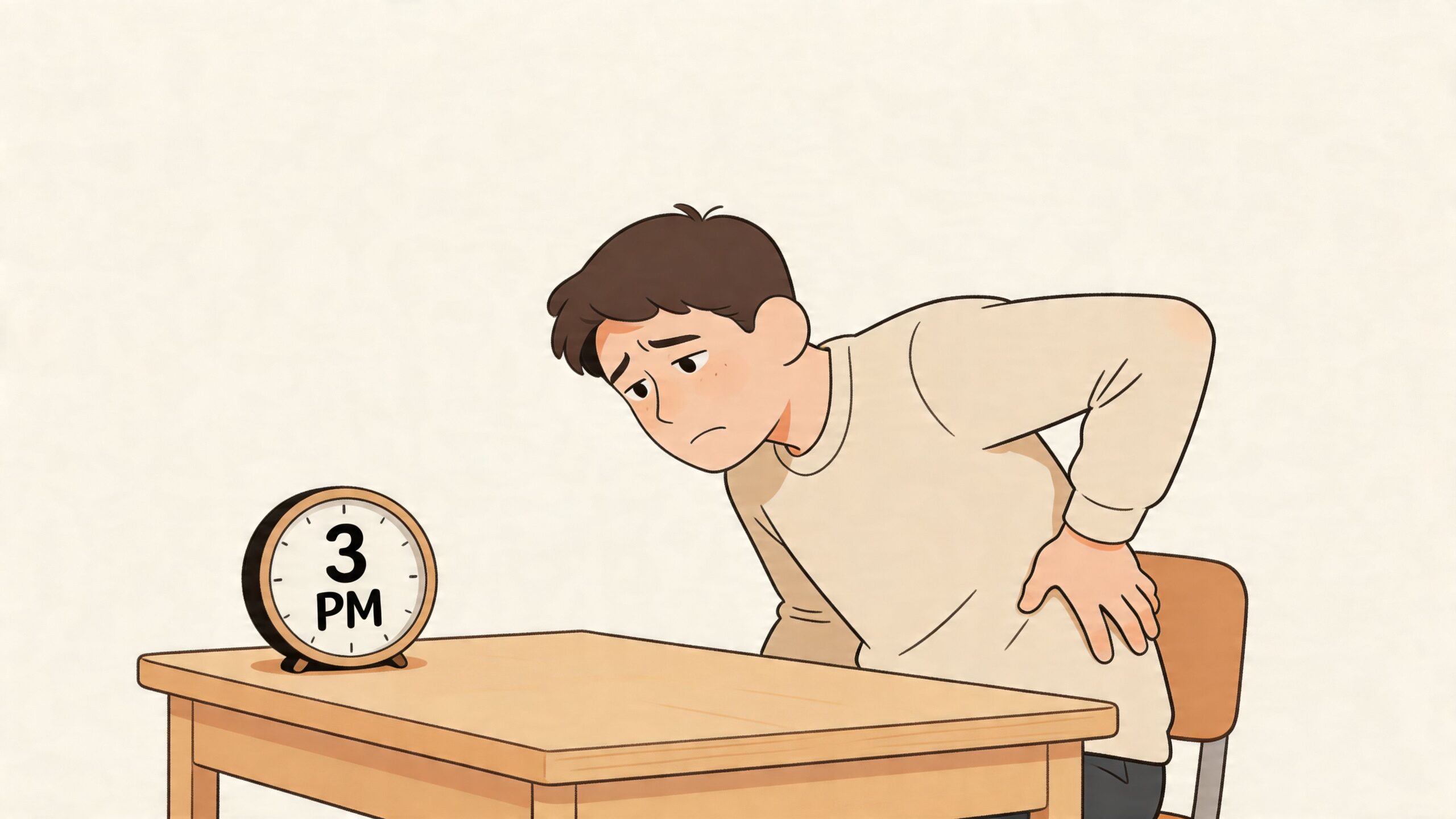
By about 3 p.m., a lot of people working from home in Ann Arbor are doing the same thing without even noticing. They slide forward in the chair, poke the chin toward the screen, and start rubbing that tight spot between the shoulders or the ache in the lower back. It feels personal, like a bad habit. Most of the time, it’s not. It’s what happens when a body built to move spends hours perched at a desk that doesn’t quite fit.
The good news is that learning how to improve posture while sitting doesn’t require military stiffness or some mythical “perfect” pose. It starts with a better setup, a clearer understanding of what your spine needs, and furniture that supports real human movement instead of fighting it. As a furniture educator serving Southeast Michigan since 1957, I’ve seen the difference a thoughtful chair, desk height, and a few simple habits can make in daily comfort.
Table of Contents
- Beyond "Sit Up Straight" Why Posture Matters More Than Ever
- Creating Your Ergonomic Foundation The One-Time Setup
- Mastering the Neutral Spine Technique How to Sit Correctly
- Building Posture-Positive Habits with Micro-Breaks
- Investing in Your Body How to Choose a Supportive Chair
- Your Path to Lasting Comfort in Southeast Michigan
Beyond "Sit Up Straight" Why Posture Matters More Than Ever
That afternoon slump isn’t just annoying. It’s a predictable result of modern work. The workplace sitting epidemic has become a serious health issue, with 60% of the workforce spending nearly eight hours a day seated, and research linked in this review of poor posture and desk work says that proper posture and ergonomic equipment can increase productivity by 54% and decrease absenteeism by 67%.
Poor sitting posture usually isn’t about laziness. It’s about a mismatch. Your chair may be too high, your monitor may be too low, or your body may be trying to hold one position longer than it was designed to. Once you see posture as a setup problem and a movement problem, it gets much easier to fix.
Practical rule: Don’t chase “perfect posture.” Build a workspace that makes a healthier position easier to return to.
A lot of readers also get tripped up by one question. “Do I need to sit ramrod straight all day?” No. That idea has scared people away from good ergonomics for years. If you want a broader everyday guide beyond desk posture, this resource on how to improve posture at home is a helpful companion because it connects sitting habits to the rest of your home routine.
In our part of Southeast Michigan, plenty of people are working from dining chairs, kitchen counters, and guest rooms turned into offices overnight. Furniture matters here. Not in a flashy way. In a practical, long-view way. A well-made ergonomic chair, like any heirloom-quality piece, supports you every day you own it. That’s why posture is worth thinking about as an investment in your home, not just another wellness chore.
Creating Your Ergonomic Foundation The One-Time Setup
A good sitting posture starts before you sit down. If the desk, screen, and chair are out of sync, your body will compensate all day long. Shoulders creep up. Chin pushes forward. Lower back collapses.
Start with the 90 90 90 rule
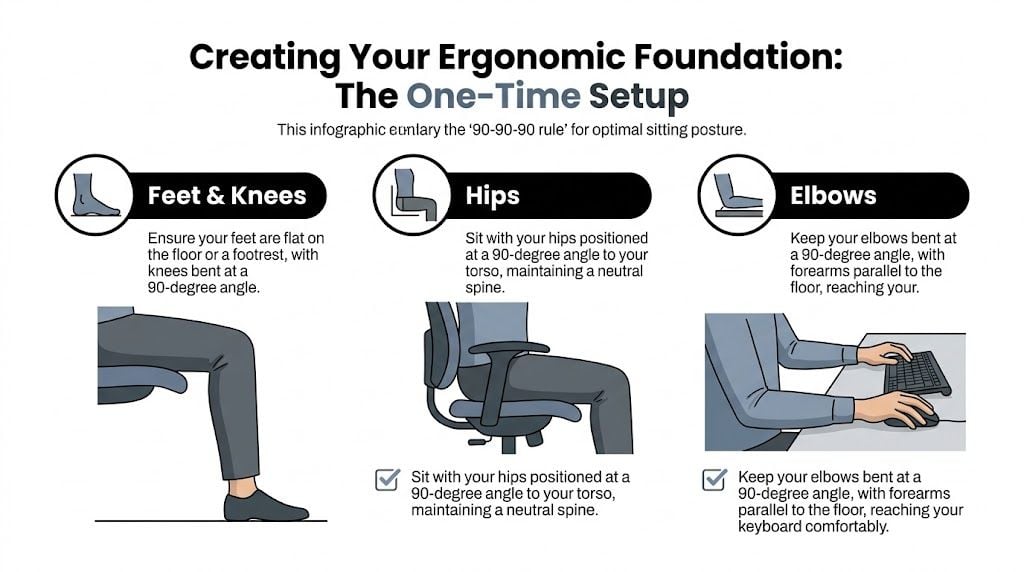
This is the easiest framework to remember when you’re learning how to improve posture while sitting. Aim for right angles at the hips, knees, and elbows.
Here’s what that looks like in plain language:
- Feet and knees: Put your feet flat on the floor or on a footrest. Your knees should bend comfortably instead of dangling.
- Hips: Sit back so your torso and thighs form an easy right angle. That gives your pelvis a stable base.
- Elbows: Bring the keyboard and mouse to you so your forearms can stay roughly parallel to the floor.
If one of those angles is off, the rest of the body starts making little compromises. A chair that’s too high often leads to pressure under the thighs. A low screen invites neck strain. Armrests that sit too high can push the shoulders toward your ears.
If you’re using a laptop full-time, raise the screen and bring in an external keyboard and mouse. A laptop alone usually forces a choice between a bent neck and awkward arms.
For readers who want a clinical overview of desk setup principles, Joint Ventures Physical Therapy has a useful Workplace Ergonomics program that reinforces many of the same fundamentals. If you’re building a more intentional room around those ideas, Tyner’s guide to creating an inspiring home office can help you think through layout, function, and comfort together.
Ergonomic workspace checklist
Small adjustments usually beat big purchases at the beginning. Start with what you already have.
| Component | Ideal Position |
|---|---|
| Chair height | Feet flat, knees comfortably bent, thighs supported |
| Seat depth | Sit back fully while keeping a little space behind the knees |
| Lower back support | Backrest or cushion fills the natural curve of the low back |
| Monitor | Screen centered in front of you at a height that keeps the neck relaxed |
| Keyboard and mouse | Close enough that elbows stay near your sides |
| Armrests | Support the arms lightly without lifting the shoulders |
Resourceful fixes that cost little or nothing
You don’t need a full redesign to get started.
- For a low monitor: Use a stack of sturdy books.
- For a chair that’s too deep: Place a firm cushion behind your back.
- For feet that don’t reach the floor: Use a footrest or a stable box.
- For missing lumbar support: Roll a towel and place it at the curve of your low back.
That one-time setup is your foundation. Once it’s right, your body has a fair chance to do its part.
Mastering the Neutral Spine Technique How to Sit Correctly
A neutral spine doesn’t mean frozen. It means your spine keeps its natural curves instead of collapsing into a C-shape. When the spine holds that balanced S-curve, it handles load more efficiently. According to guidance summarized by the MS Trust, this can reduce intradiscal pressure by up to 40% compared to slouched positions, and the same source notes that forward head posture affects 66% of desk workers, adding 10kg of effective neck load per 2.5cm of protrusion in front of the shoulders, as described in their sitting posture guidance.
Find the base of your posture
Start at the bottom, not the shoulders.
Sit all the way back in the chair and feel for your sit bones. Those are the bony points under you that should carry your weight evenly. When you’re balanced there, the pelvis is much less likely to tuck under and drag the low back into a slump.
Then let the lower back keep a gentle inward curve. You don’t have to force it. Think “supported” rather than “arched.” If your chair has lumbar support, let it meet you there. If it doesn’t, a small cushion can help.
Use a gentle chin tuck, not a rigid pose
The instruction to “sit up straight” often causes shoulders to be pulled back too hard. That creates tension and usually doesn’t last. A better cue is to bring the head back over the body.
Try this now:
- Sit tall without lifting your chin.
- Gently draw the chin backward.
- Imagine the crown of your head floating upward.
- Let the shoulders stay relaxed.
That small motion is the chin tuck. It often feels strange at first because many of us are used to leading with the face toward the screen. If you’d like another plain-English walkthrough, EVEO has a practical guide to proper sitting posture at your computer that many readers find easy to follow.
A supportive task chair can make this much easier to maintain because it does some of the organizational work for your body. If you’re comparing features, this collection of office task chairs shows the kind of adjustability worth looking for, especially in seat height, back support, and arm positioning.
A neutral spine should feel calm and sustainable. If it feels stiff, you’re probably over-correcting.
Building Posture-Positive Habits with Micro-Breaks
The biggest misunderstanding about posture is that success means holding one ideal position all day. It doesn’t. Human bodies like variety. The better goal is interruption. Sit well, then move before the body starts melting into the chair.
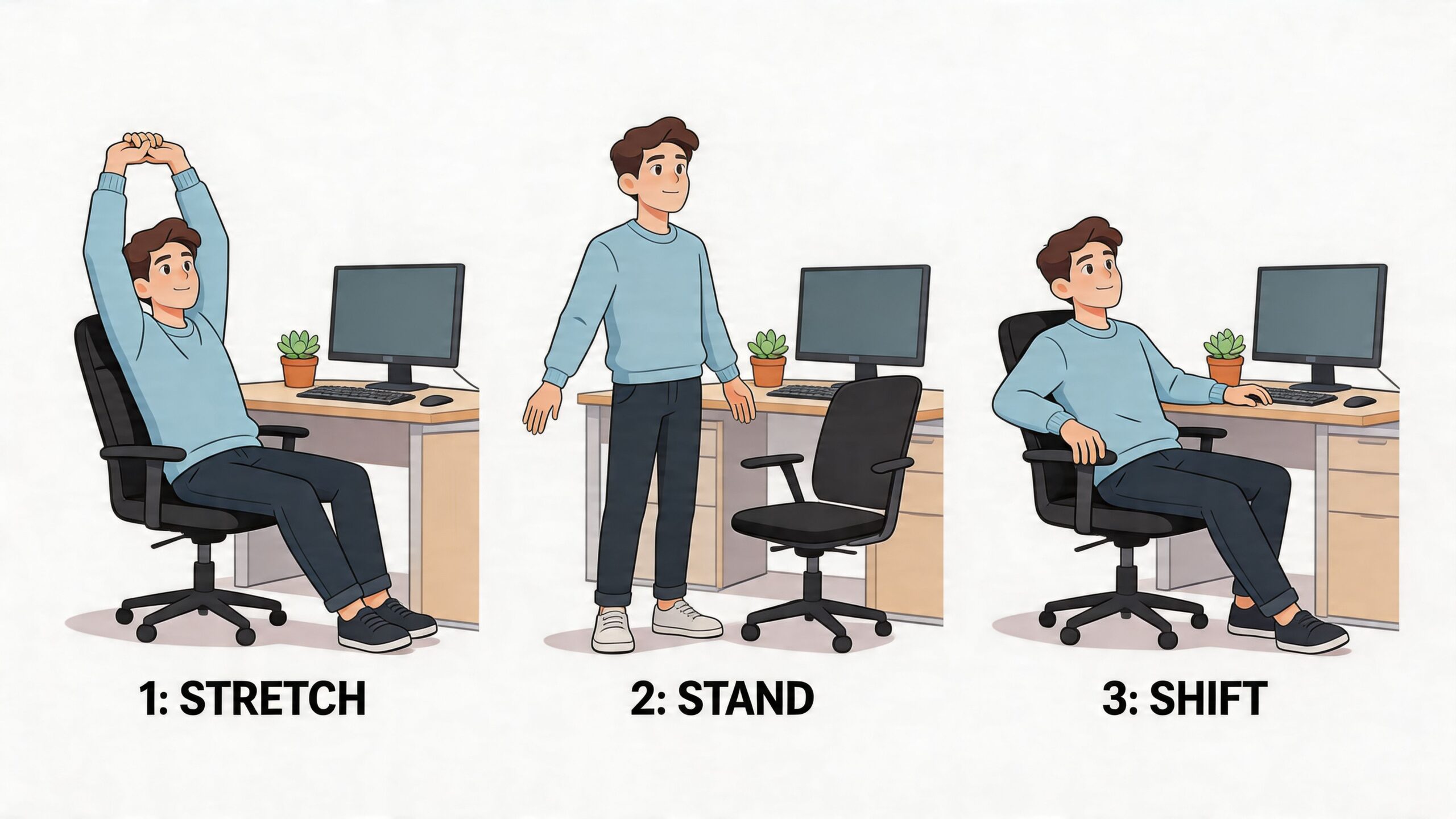
The best posture is your next posture
Research summarized by Orthopedic & Shoulder Center notes that the spine can maintain proper posture for only about 20 minutes, and that taking posture breaks every 30 minutes to stand and stretch for 30 seconds to 2 minutes can reverse the flexed posture that builds up during sitting. That same routine can lead to a 60 to 80% reduction in pain, according to their overview on good sitting posture habits and breaks.
That’s an important shift in mindset. You don’t need to “win” posture by sitting perfectly. You need to reset often enough that strain never gets too comfortable.
Three micro-breaks that fit a real workday
These are practical because they don’t require workout clothes, floor space, or much time.
- Stand and reach: Stand up, reach both arms overhead, and take a full breath. This opens the front of the torso after desk hunching.
- Doorway chest stretch: Place your forearm on a door frame and gently turn away. This helps undo the rounded-shoulder position that keyboards encourage.
- Posture reset walk: Walk to the kitchen, printer, or front window. While walking, let the arms swing and the neck relax.
Set a recurring timer if you have to. The reminder isn’t a weakness. It’s part of the system.
Some readers pair these breaks with sleep and recovery changes because soreness from the workday doesn’t stay at the desk. This article on the connection between exercise and sleep quality is useful if you’ve noticed your daytime tension carrying into the evening.
You can also build movement into your furniture choices. Keep the printer away from the desk. Store notes on a side credenza. Choose a chair that allows small shifts instead of locking you into one rigid groove. Movement doesn’t have to be dramatic to count.
Investing in Your Body How to Choose a Supportive Chair
Chairs are often sold like style objects first and body tools second. That’s backwards. If you work from home regularly, your chair is one of the most used pieces in the house. It affects comfort, concentration, and how much effort your body has to spend just staying organized.
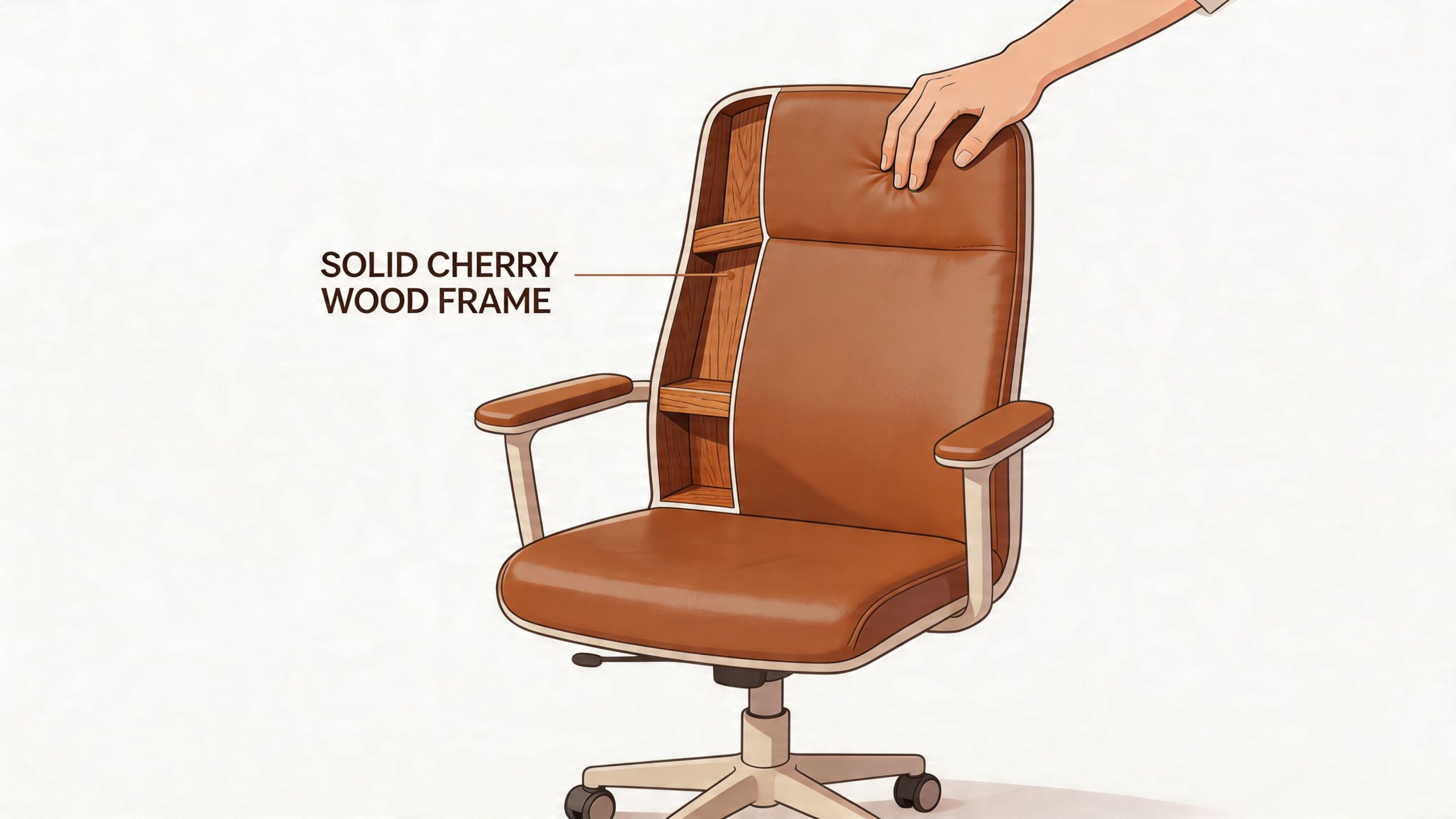
Why one-size-fits-all seating falls short
Research on sitting posture shows that even when people try to sit “comfortably,” they don’t settle into one identical position each time. A study summarized in this open-access review of postural variability in sitting found trunk angles varying by over 10°, which supports a practical conclusion. Effective ergonomic seating should accommodate and encourage postural variation instead of forcing a single supposedly correct pose.
That finding matters in the showroom. It means the right chair isn’t just about softness or appearance. It’s about fit, adjustability, and how the chair responds when you shift, lean back, or resettle after an hour of work.
What to look for in a long-term chair investment
A worthwhile chair should do more than look handsome behind a desk. It should support you in motion and over time.
- Adjustability that matches your body: Seat height, arm position, and back support should adapt to you, not the other way around.
- Lumbar support that feels present but not pushy: Good support should meet the low back without forcing an exaggerated curve.
- Seat comfort with structure: Cushions should feel supportive, not swampy. You want stability under the pelvis.
- Materials that age well: The buttery feel of top-grain leather, a resilient fabric, or a solid wood frame all matter when you think in cost-per-year rather than sticker price.
- Sizing options: Bodies differ. A chair that comes in multiple sizes or can be made-to-order has an obvious ergonomic advantage.
In this category, customization is where furniture starts acting like equipment. Stressless seating is a well-known example because it’s offered in different sizes and built around responsive support, and at Tyner Furniture shoppers can also look beyond what’s on the floor into custom options, including bespoke upholstery choices and made-to-order configurations. The same logic shows up elsewhere in the home, too. Canadel dining lets you customize finishes and dimensions, while hand-crafted Amish solid wood pieces bring the kind of joinery and material integrity that mass-produced furniture rarely matches.
A supportive chair is not a quick fix. It’s a foundation piece. In a real home office, that makes it less of a splurge and more of a health tool you’ll use for years.
Your Path to Lasting Comfort in Southeast Michigan
Better posture while sitting comes down to three things. Set up your workspace so your body isn’t fighting the furniture. Learn a neutral spine position that feels balanced instead of forced. Break up sitting often enough that stiffness never becomes your normal.
That process is gradual, and that’s fine. The majority don’t need a dramatic overhaul. They need a few smart adjustments, more awareness, and furniture that respects how real bodies sit, shift, and work. In Ann Arbor and across Southeast Michigan, that’s especially important now that so many homes are doing double duty as offices, classrooms, and places to recuperate from daily activities.
If you’re also thinking about the room as a whole, not just the desk chair, this look at home interior companies and design guidance can help connect comfort, layout, and long-term livability. Good interiors should support your health as much as your style.
Since 1957, local families have looked for furniture that lasts because it’s built well, fits well, and earns its place in the home. That same thinking applies to ergonomics. Whether you’re choosing a task chair, furnishing a full home office, or coordinating everything from the Home Office to Outdoor Spaces, posture improves fastest when your environment helps you succeed.
If you’d like a more personal starting point, visit Tyner Furniture in Ann Arbor for a sit test at the South State St. showroom, or browse the online Quick Specs for special orders and custom options. If a higher-quality ergonomic chair or made-to-order piece feels like a big step, Special Financing and the Low Price Promise can make that long-term investment easier to bring home now.